

Paint Calculator
Excluded Areas
Painting a single room or a whole house seems like a job that’s simply overwhelming. However, once you have the right tools, it’s not too bad . . . sort of. An interior paint calculator takes much of the misery out of the mess. It helps estimate how much paint you need. This prevents buying too much or too little.
Many homeowners face common issues. They overbuy paint, leading to waste. Or they run short, causing extra trips to the store. These problems add stress and cost. A paint calculator addresses them head-on.
This guide explores everything about paint calculators. You’ll learn what they are and why they’re useful. We’ll cover how to use one step by step. Plus, dive into the math behind it. By the end, you’ll feel confident tackling your project.
Think of a paint calculator as your planning partner. It turns guesswork into precise estimates. So, whether you’re . . . ahem . . . “artistically challenged” or an old paint pro, the job gets done in record time. The most recent models even integrate with color selectors for one streamlined package.
By 2025, online paint calculators have gotten more advanced, taking real-time paint prices and eco-friendly options into consideration. Ready to start? Let’s break it down.
What Is a Paint Calculator and Why You Need One
Understanding the Basics of a Paint Calculator
A paint calculator is a digital tool. It estimates paint quantities for your space. You input room measurements. It outputs gallons needed.
These tools have evolved. Early versions used simple formulas. Now, they’re online apps from brands like Sherwin-Williams and Behr. They handle complex rooms with ease.
Key inputs include wall length, width, and height. Subtract areas for doors and windows. Standard doors cover about 20 square feet. Windows average 15 square feet. Most assume one gallon covers 350 to 400 square feet.
Some calculators add features. They estimate primer or account for ceilings. This makes them suitable for inside as well as outside applications.
Benefits of Using a Paint Calculator
Using a paint calculator offers clear advantages. First, it cuts costs. Accurate estimates mean no excess paint purchases.
It also reduces waste. Overbuying harms the environment. Precise calculations promote sustainability.
Time savings are huge. No mid-project store runs. Plan everything upfront.
And it is more confident. Exactly know what you need. This leads to better results.
Imagine refreshing your living room. A paint calculator ensures even coverage. No patchy spots from shortages.
It helps with budgeting too. Factor in coats and types. So, a good choice for every job.
How to Use Paint Calculator Actually
Inputting Your Measurements Step by Step
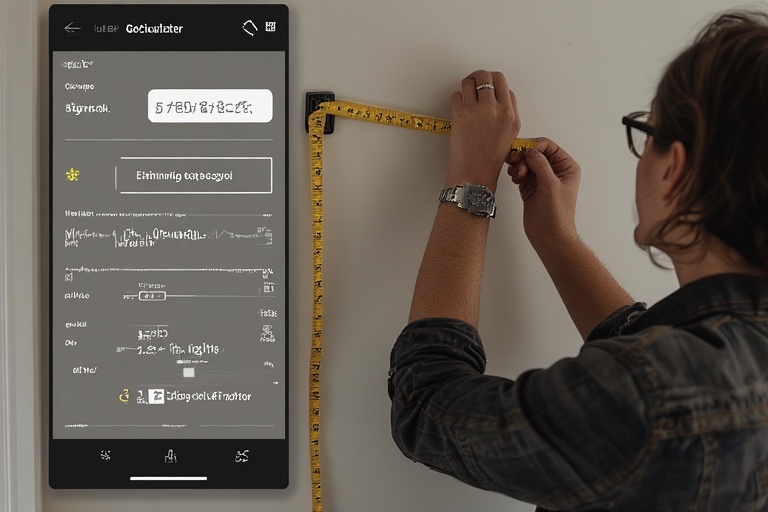
Start with accurate measurements. Use a tape measure or laser tool. Note length, width, and height in feet.
Enter these into the paint calculator. Select if painting walls only or including ceilings.
Count doors and windows. Input their numbers. The tool subtracts their areas automatically.
Choose paint type. Interior or exterior? Latex or oil-based?
Decide on coats. Most projects need two for full coverage.
Hit calculate. Review the results. Adjust if needed.
For example, Lowes’ tool lets you tweak coverage rates. This ensures precision.
Adjusting for Special Factors in Your Paint Calculator
Not all surfaces are the same. Textured walls absorb more paint. Add 10-20% extra.
Primer is key for new drywall. It seals the surface. Calculators often include a primer option.
Multiple coats? Dark colors over light need three.
Consider trim and moulding. Some tools have separate sections for these.
Exterior projects factor in weather. Porous surfaces like brick require more.
Behr’s calculator handles both interiors and exteriors well. It even suggests stain for wood.
Real example: Painting a textured bedroom wall. Boost the estimate to avoid shortages.
These adjustments make your plan foolproof.
The Math Behind a Paint Calculator: Formulas and Tips
Core Formulas for Paint Estimation
Paint calculators use basic math. First, calculate total wall area.
Formula: (Room perimeter × height) – (door areas + window areas).
Perimeter is 2 × (length + width).
Doors: 20 sq ft each. Windows: 15 sq ft.
Then, gallons needed = total area ÷ coverage rate × coats.
Coverage is typically 350-400 sq ft per gallon.
For ceilings: Length × width.
Add it all up. This mirrors what tools do automatically.
Verify with brand specif
Avoiding Common Mistakes While Using the Paint Calculator
One big error: Forgetting to subtract openings. This overestimates paint.
Another: Ignoring surface type. Porous walls need extra.
Not accounting for coats leads to shortages.
Wrong measurements amplify issues. Always double-check.
Pros warn about prep time too. But for quantity, focus on inputs.
Story: A homeowner skipped primer. Ended up with uneven finish. Learn from that.
Test small areas first. Adjust calculations based on real coverage.
Choosing the Best Paint Calculator for Your Needs
Top Online Paint Calculators Reviewed
Many great options exist in 2025. Sherwin-Williams’ tool is user-friendly. It integrates color tools.
Behr offers interior and exterior estimates. Includes stain calculators.
Benjamin Moore focuses on room dimensions. Simple and accurate.
Lowes provides man-hour estimates too. Great for planning.
Inch Calculator handles primers and exteriors well.
Pick one with mobile access for on-the-go use.
Integrating a Paint Calculator into Your Overall Project Plan
Start with the calculator early. Use results to buy supplies.
Combine with color apps. Test shades digitally.
Prep surfaces next. Sand and prime as needed.
Schedule based on estimates. Factor in drying time.
Track progress. Adjust if coverage varies.
This holistic approach ensures success.
Conclusion
A paint calculator transforms painting projects. It delivers accuracy and efficiency. From basics to advanced tips, you’ve got the knowledge now.
Embrace these tools. They make DIY fun and rewarding. No more wasted paint or time.
Ready for your next project? Grab measurements and try a paint calculator today. You’ll wonder how you managed without it.
For more resources, check brand sites. Happy painting!
Want fresh ideas for your next project? Discover more tools on our Calculators page or explore Heaven Home